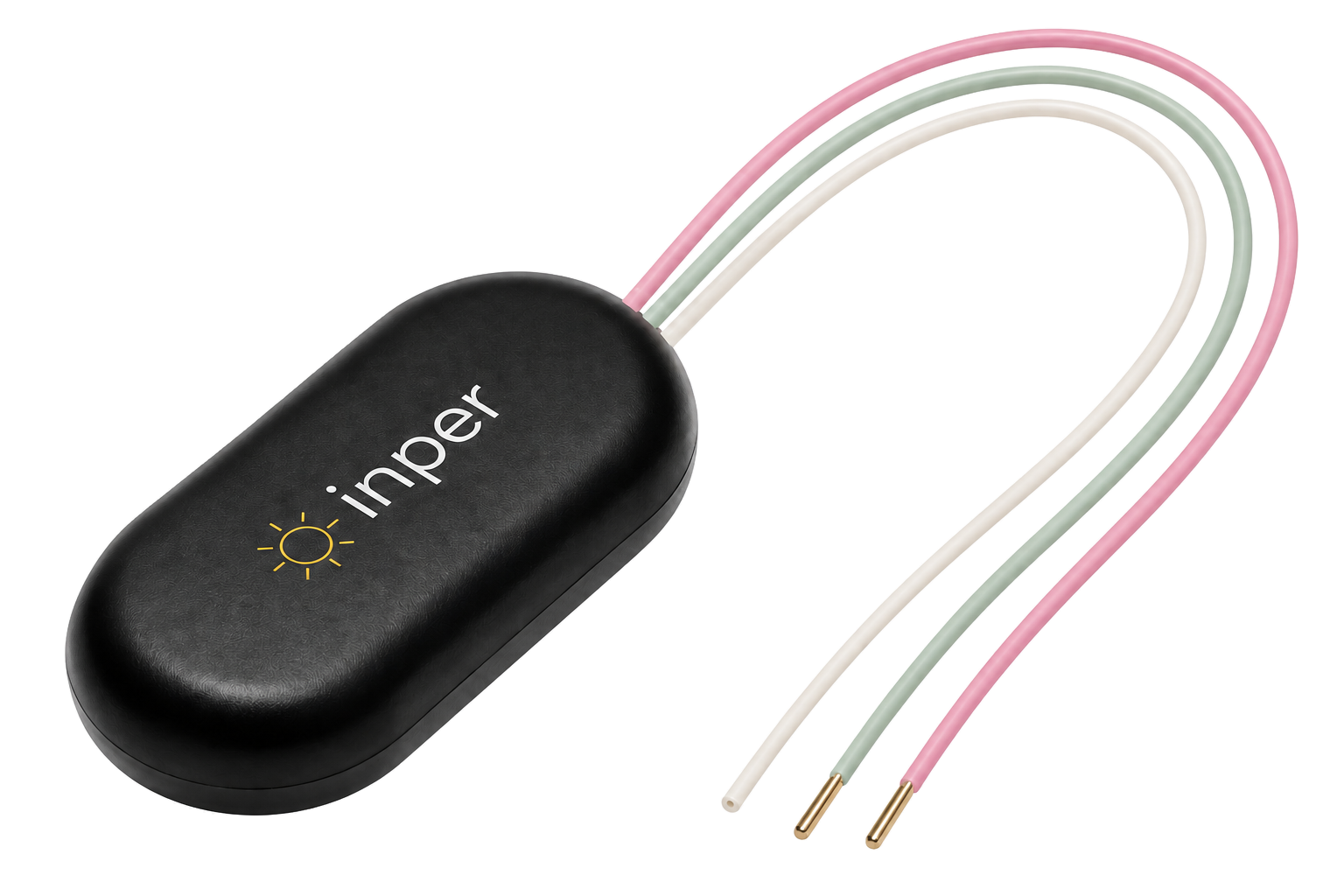
Inper Air Wireless Physiological Signal Telemetry System
Fully implantable wireless telemetry for awake, freely moving research. Configure physiological recording, stimulation and in vivo wireless charging with Inper Air.
Inper Air
Record physiology in awake, freely moving animals with Inper Air.
Configure channels, align events and recharge wirelessly for reuse.
Discover the design
Implant design
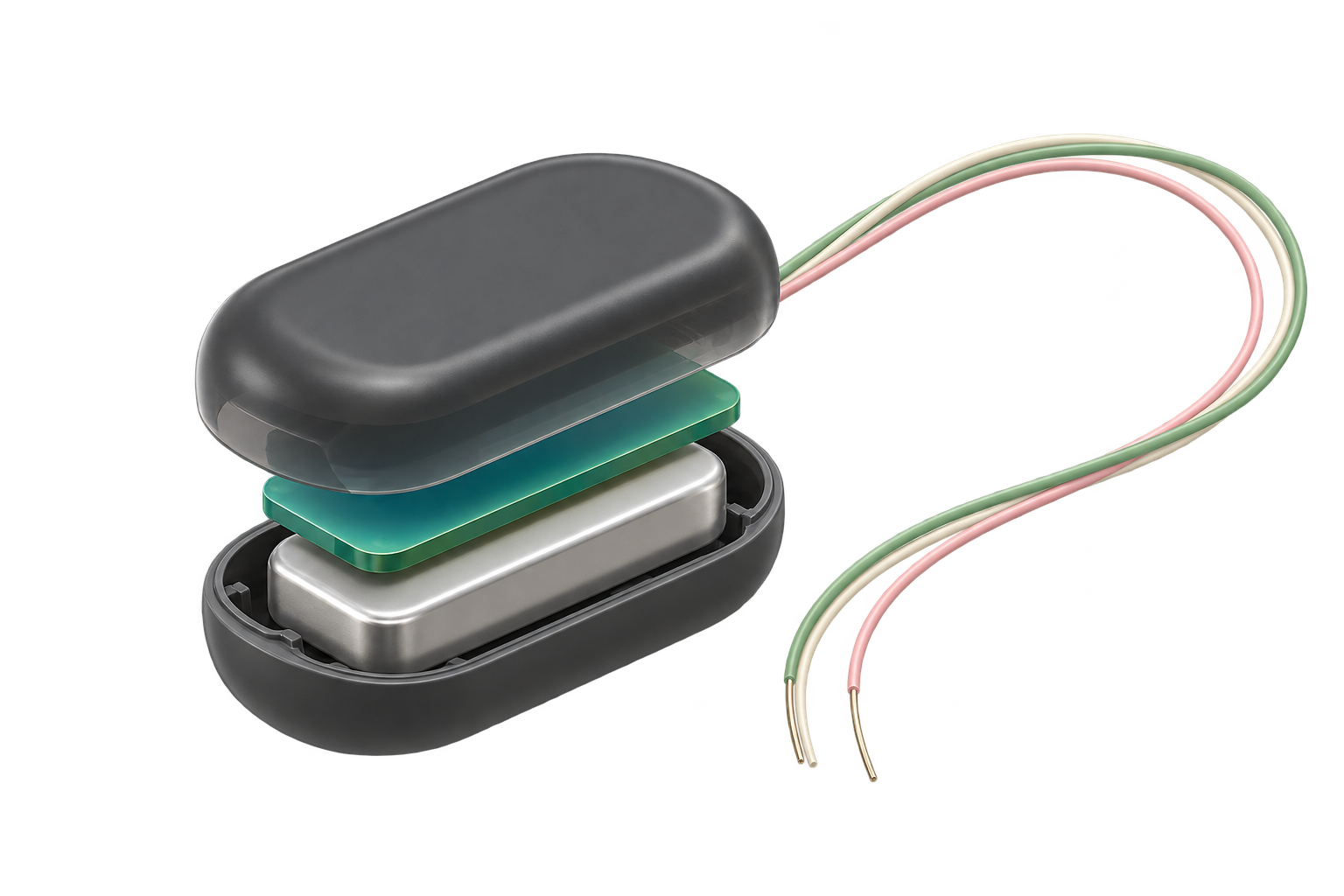
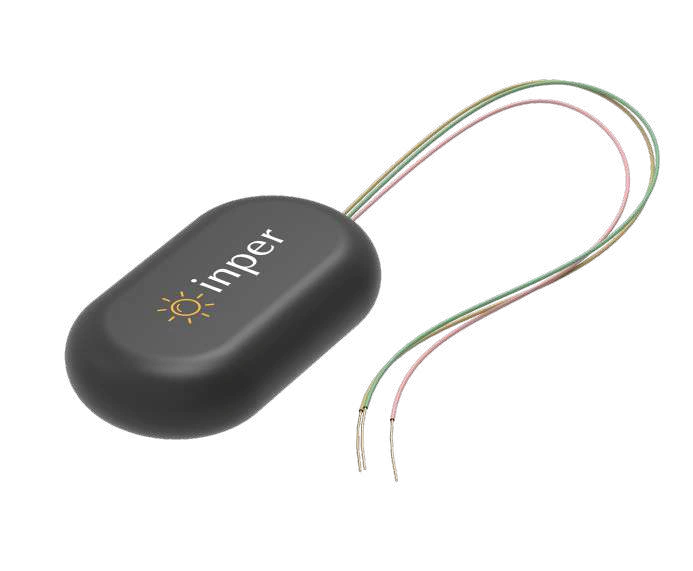
Conceptual structure: Sensors, a miniature battery, a wireless module and flexible leads work together within the implant.

Sensors and signals
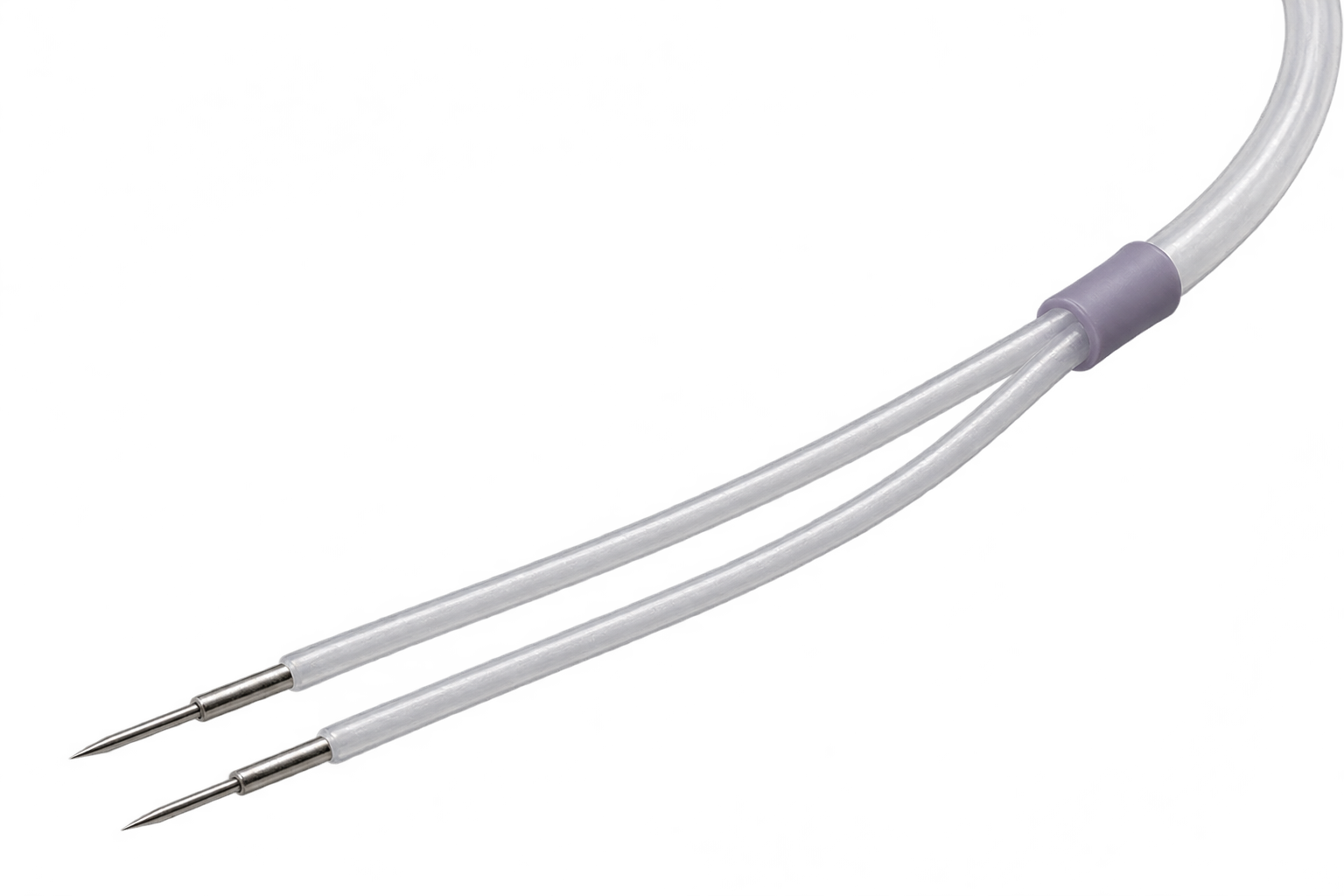
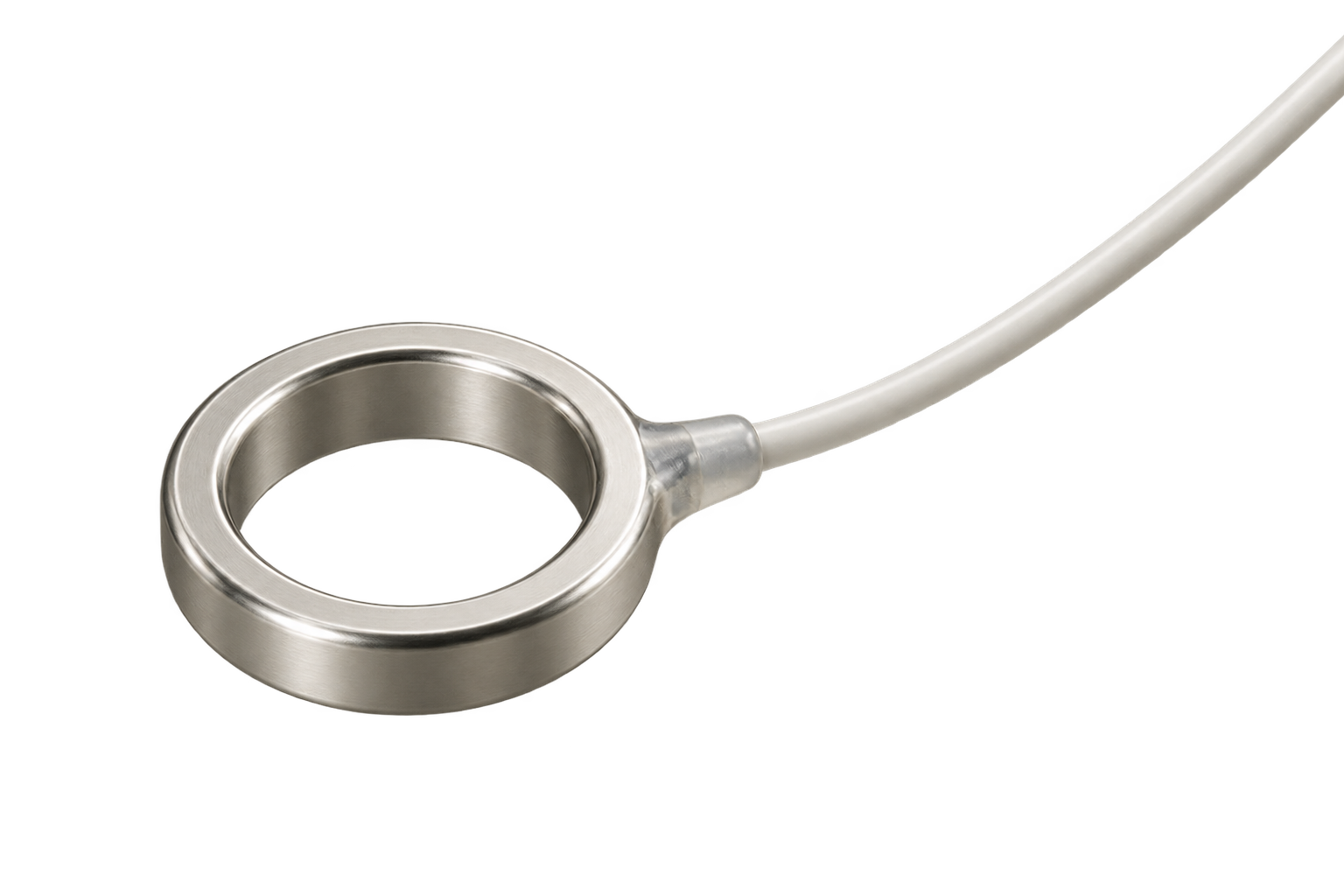
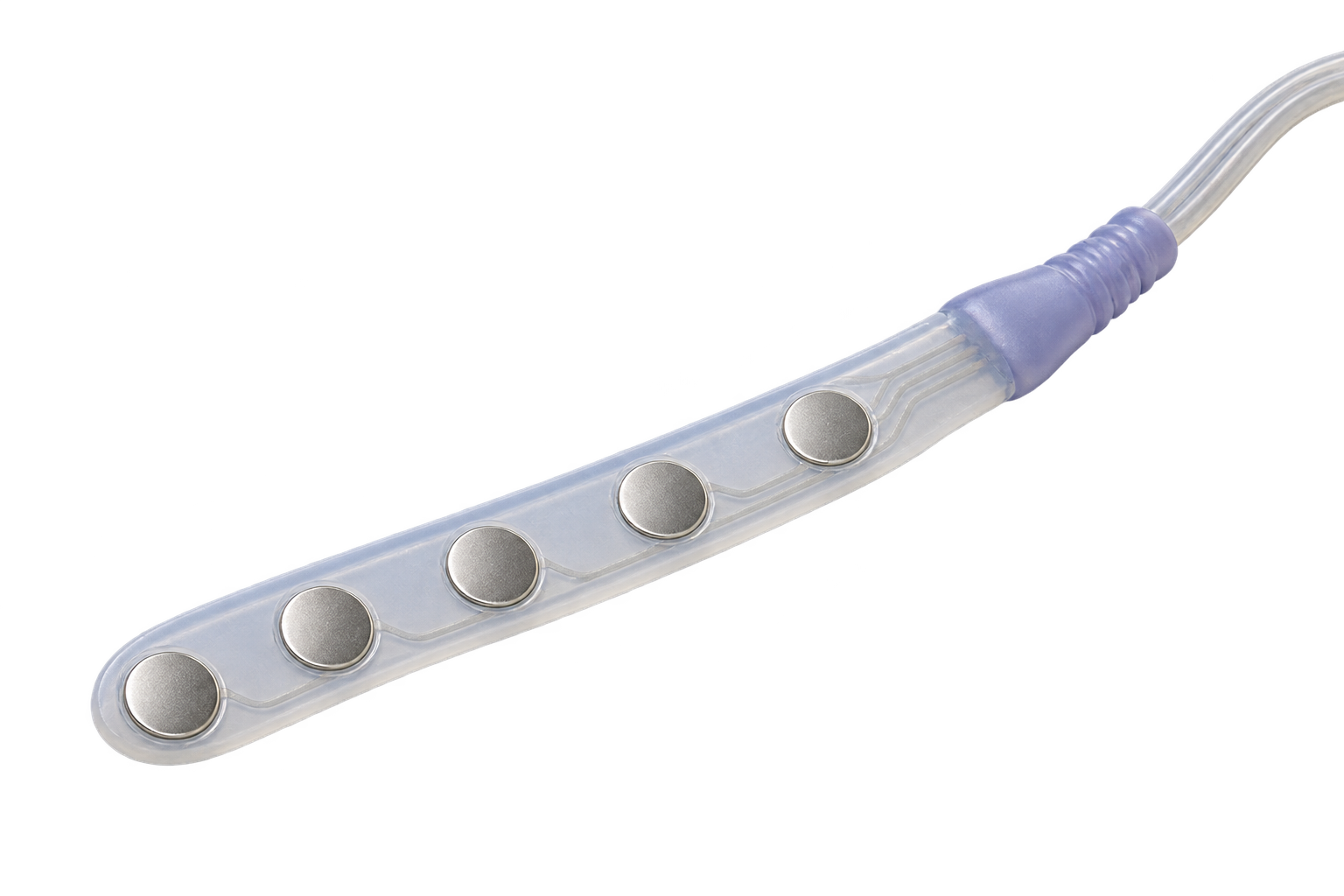
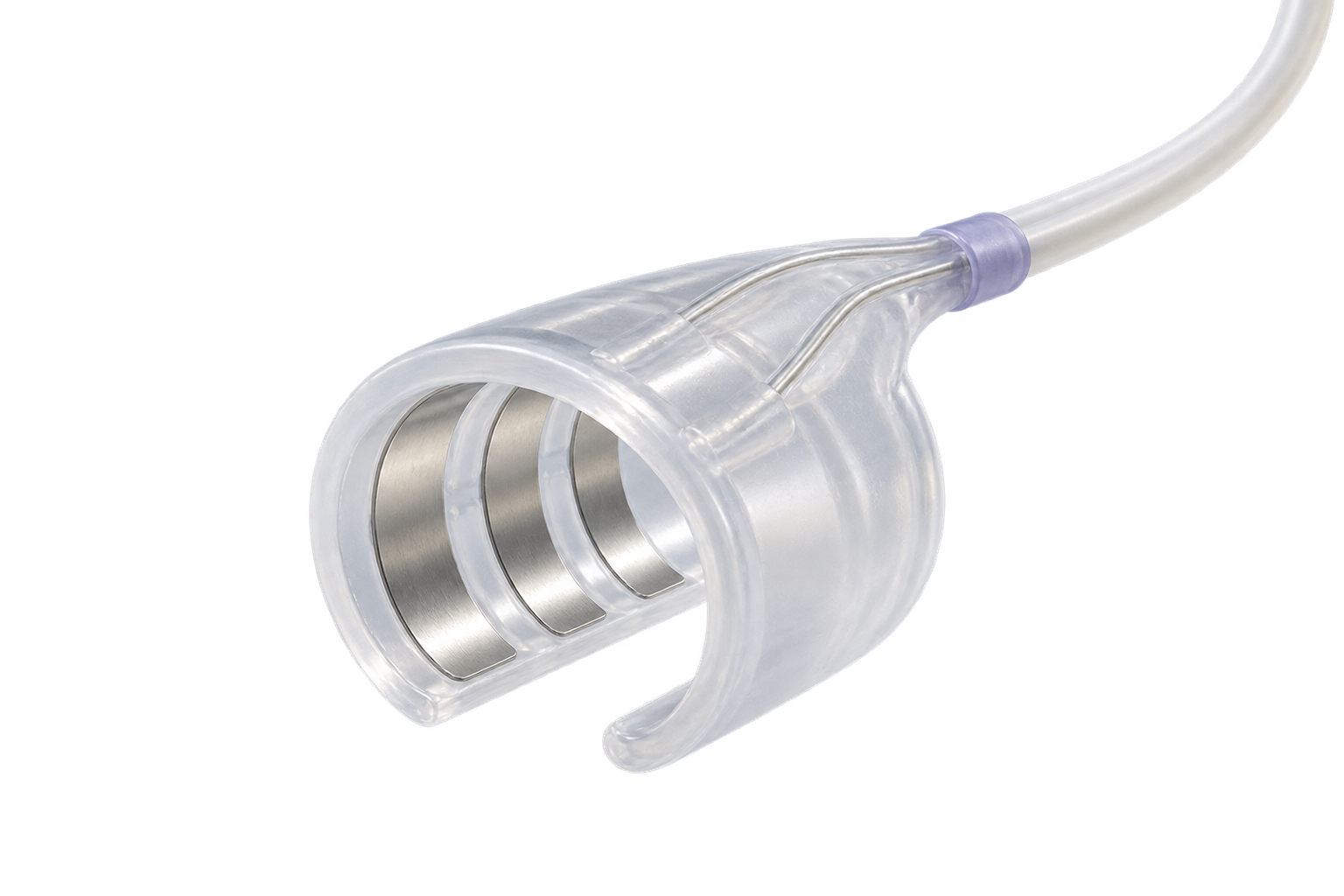
Biopotential. Capture the smallest signals. ECG, EEG, EMG, EOG and gastrointestinal electrical activity. Choose electrodes and recording sites for cardiac, neural, muscular and digestive-system measurements.
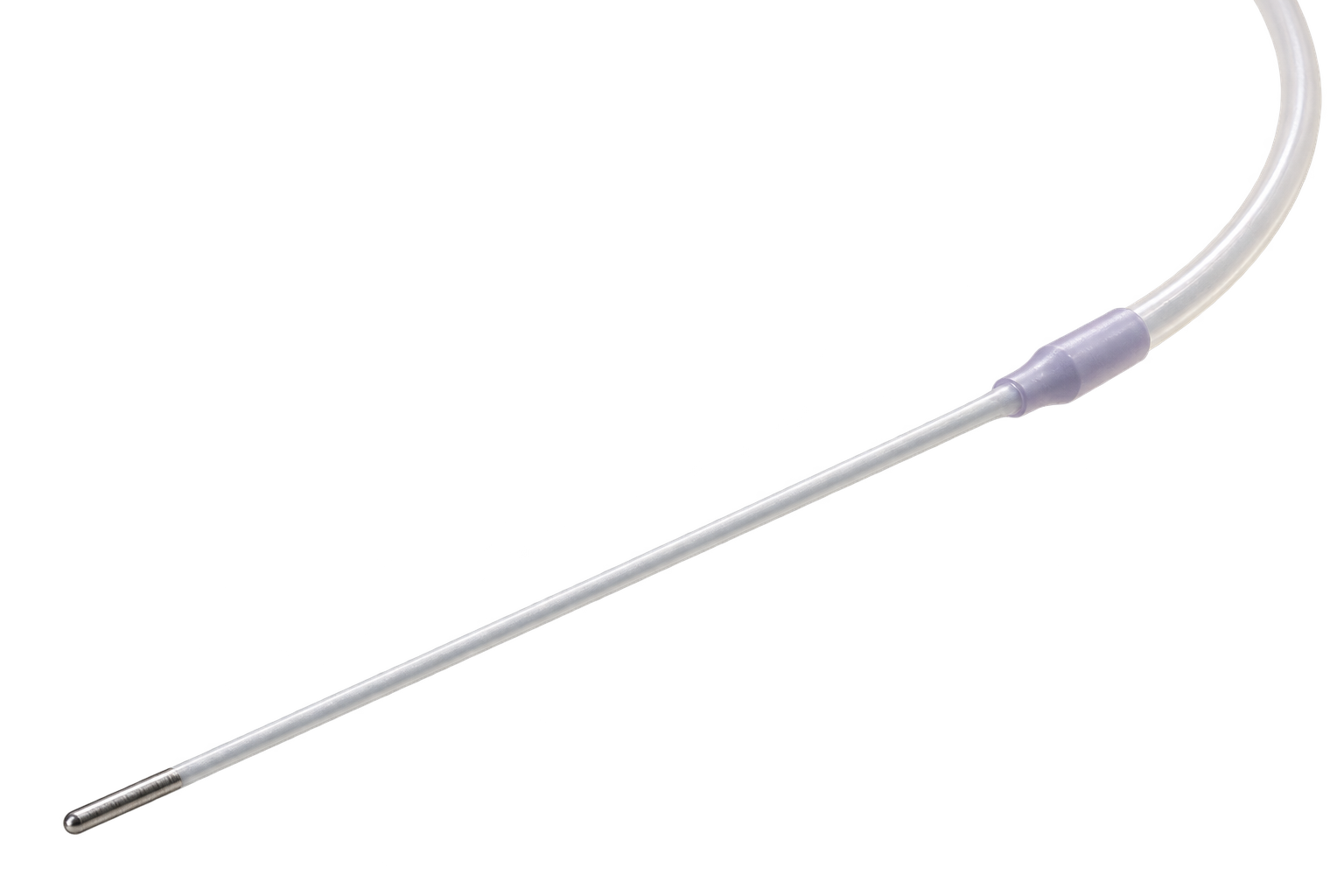
Pressure. Follow pressure over time. Arterial, venous, left-ventricular, intracranial, bladder, intraocular and uterine pressure. Select sensing configuration and range for the target site.
Temperature. Keep temperature in view. Temperature sensing records changes alongside other channels and experimental events. Parameter range: 10–50 °C, precision 0.05 °C, sampling 0.01–1 Hz.
Activity. Put movement in context. Acceleration provides context for movement, awake behavior and circadian research: ±8 g, precision 0.001 g, sampling 1–200 Hz. The illustrative activity trace uses arbitrary units.
Glucose. Observe metabolic changes. Use a glucose-sensing configuration for longitudinal in vivo metabolic observation. Confirm sensor choice, usable duration and experimental conditions.
Oxygen saturation. Add an oxygen dimension. Observe oxygen-saturation changes with the appropriate optical sensing configuration and relate them to other physiological recordings.
Sensor interfaces
Air receiver
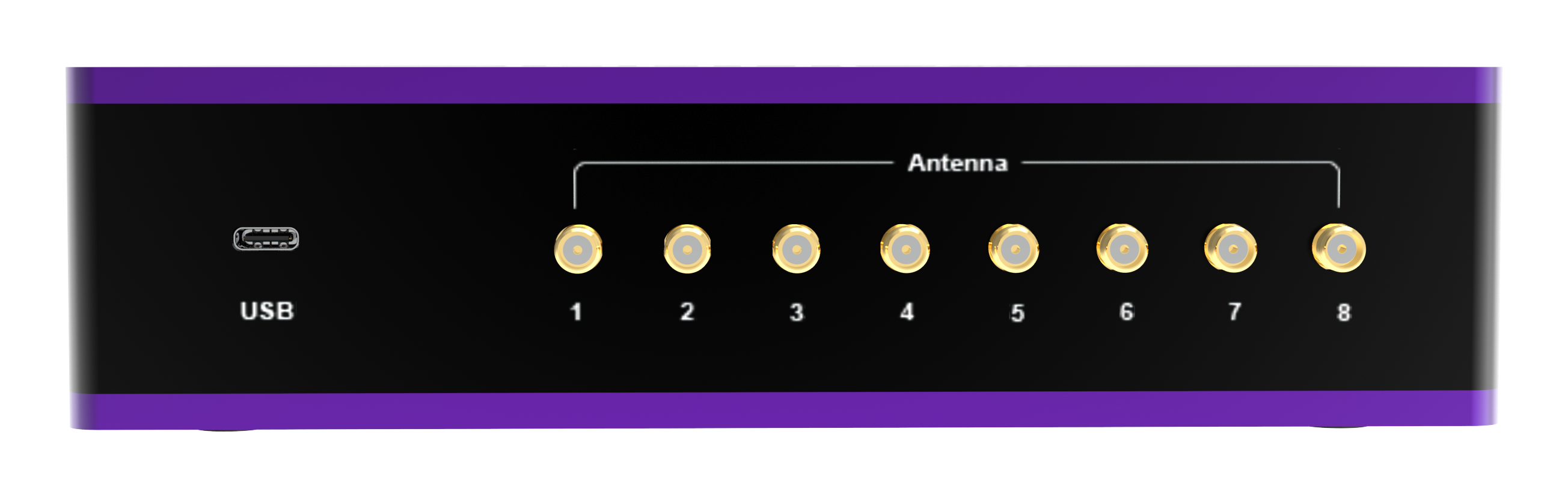
Connect up to 8 implants with one receiver.
Reach up to 10 m in open space.
Add an external antenna for complex cage racks.
Transfer data at a total rate of up to 2 Mbps.
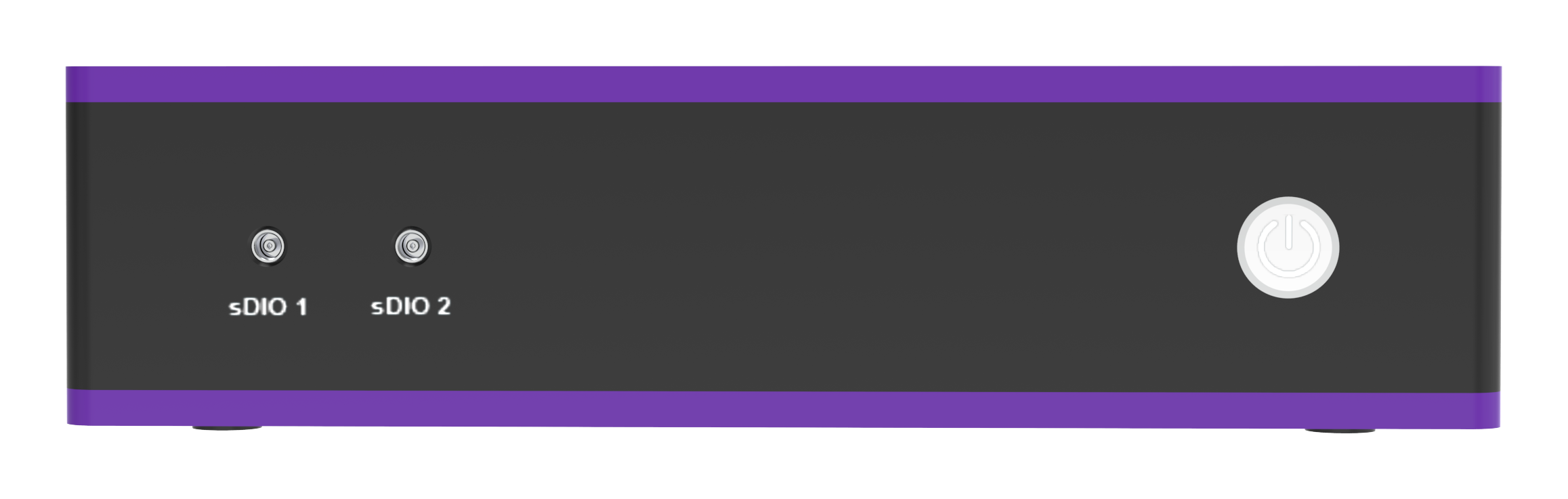
Receive external triggers through sDIO.
Bring recordings into acquisition and analysis.

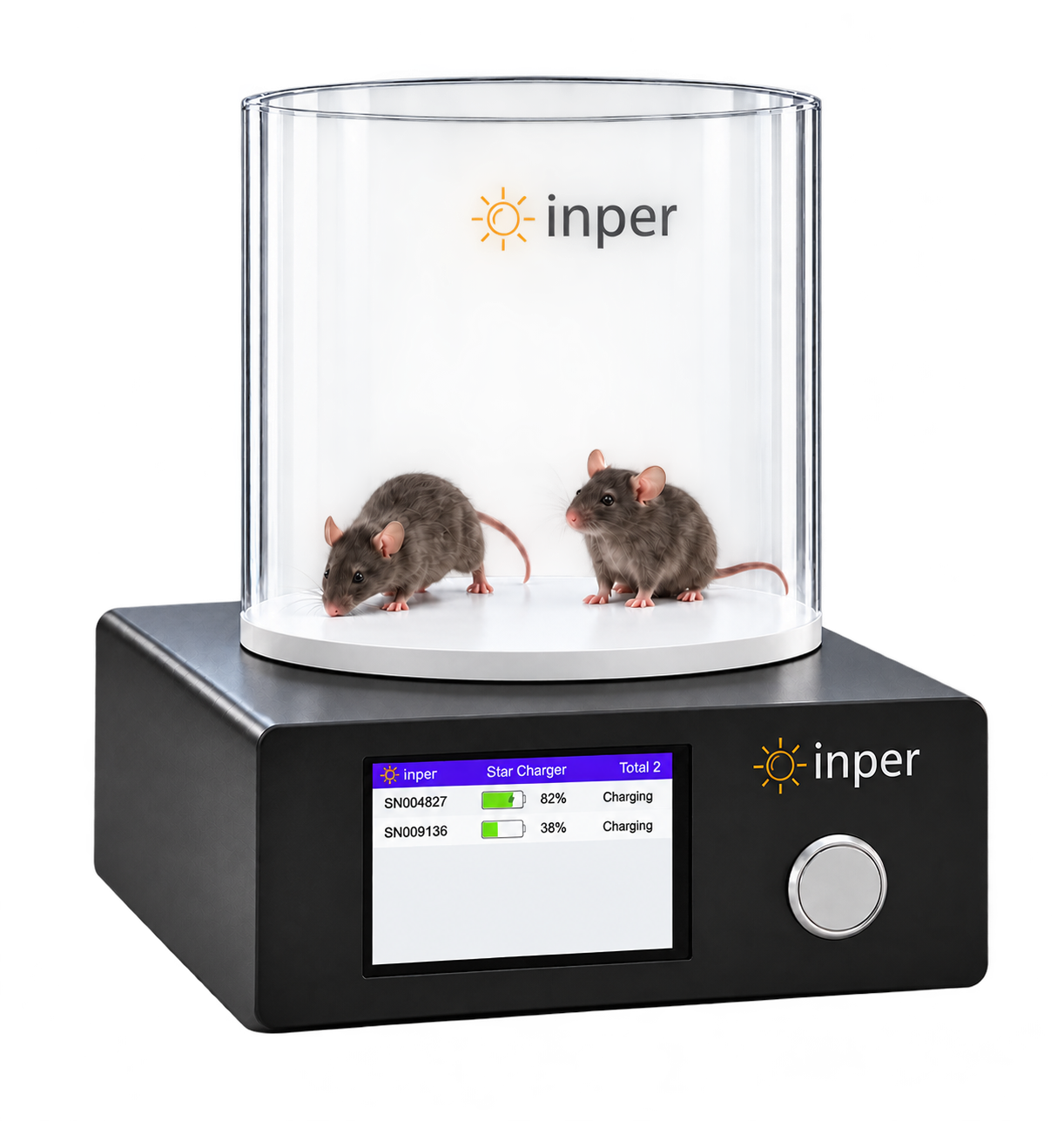
In vivo wireless charging
Recharge wirelessly without removing the implant. Build charging into the experiment schedule to support repeated use. Follow device and environmental requirements. Standby time, recharge cycles and continuous recording duration are distinct specifications.
Stimulation outputs
Combine optical or electrical outputs with recording and events. Waveform composition follows in the acquisition section.
Optical configurations include 470, 525, 561 and 635 nm; customization is available. Confirm wavelength, power and implant options for the study.
Electrical current range is ±10 mA with error ≤2% in the parameter sheet. Available channels and pulse settings depend on the selected configuration.
02 · Acquisition software
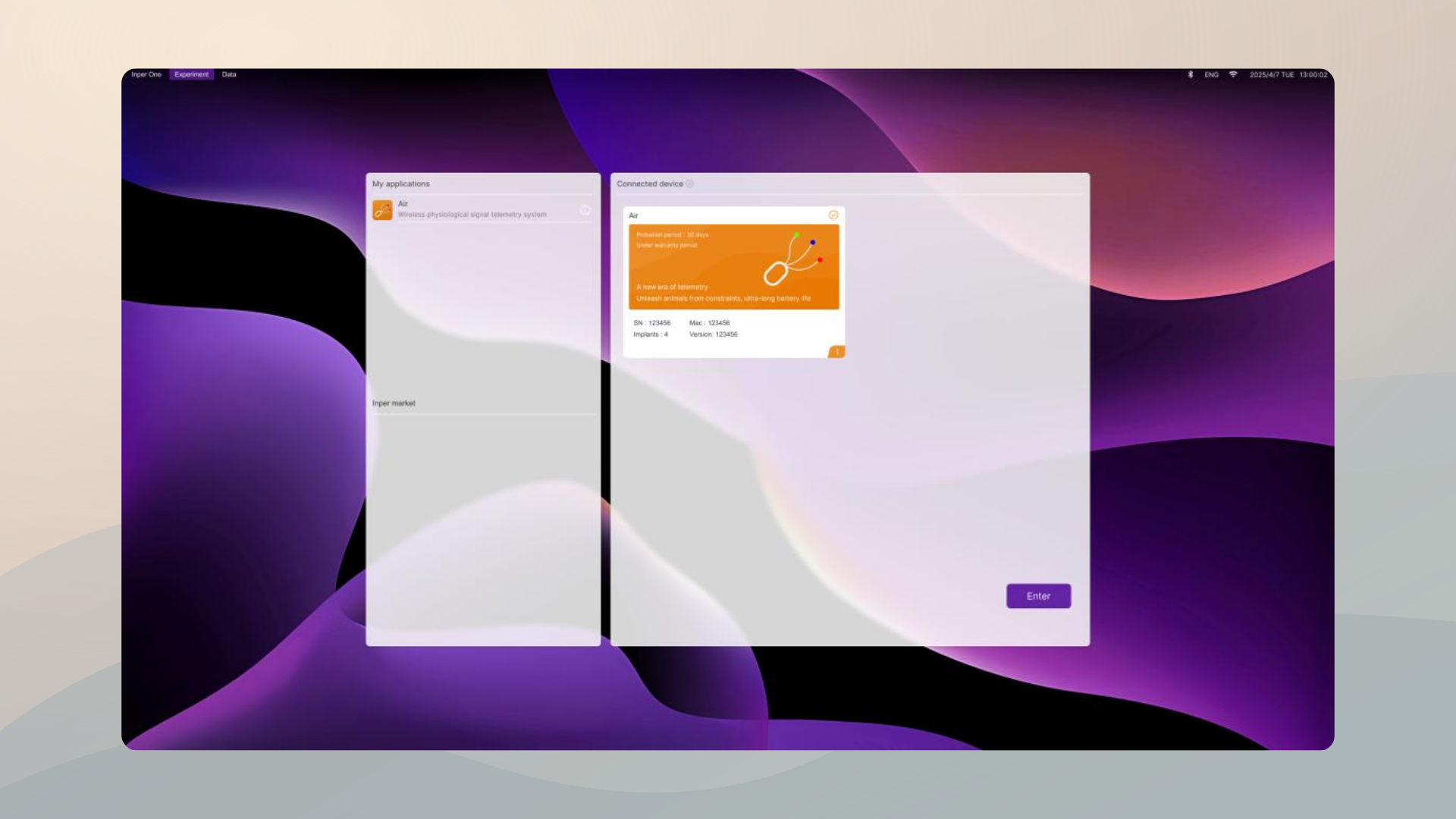
Tick the Air card and press Enter, then connect the implants you need. Yellow is waiting to connect, green is connected and normal, red is a signal fault; start once the battery is above 20% and the signal reaches 4 bars.
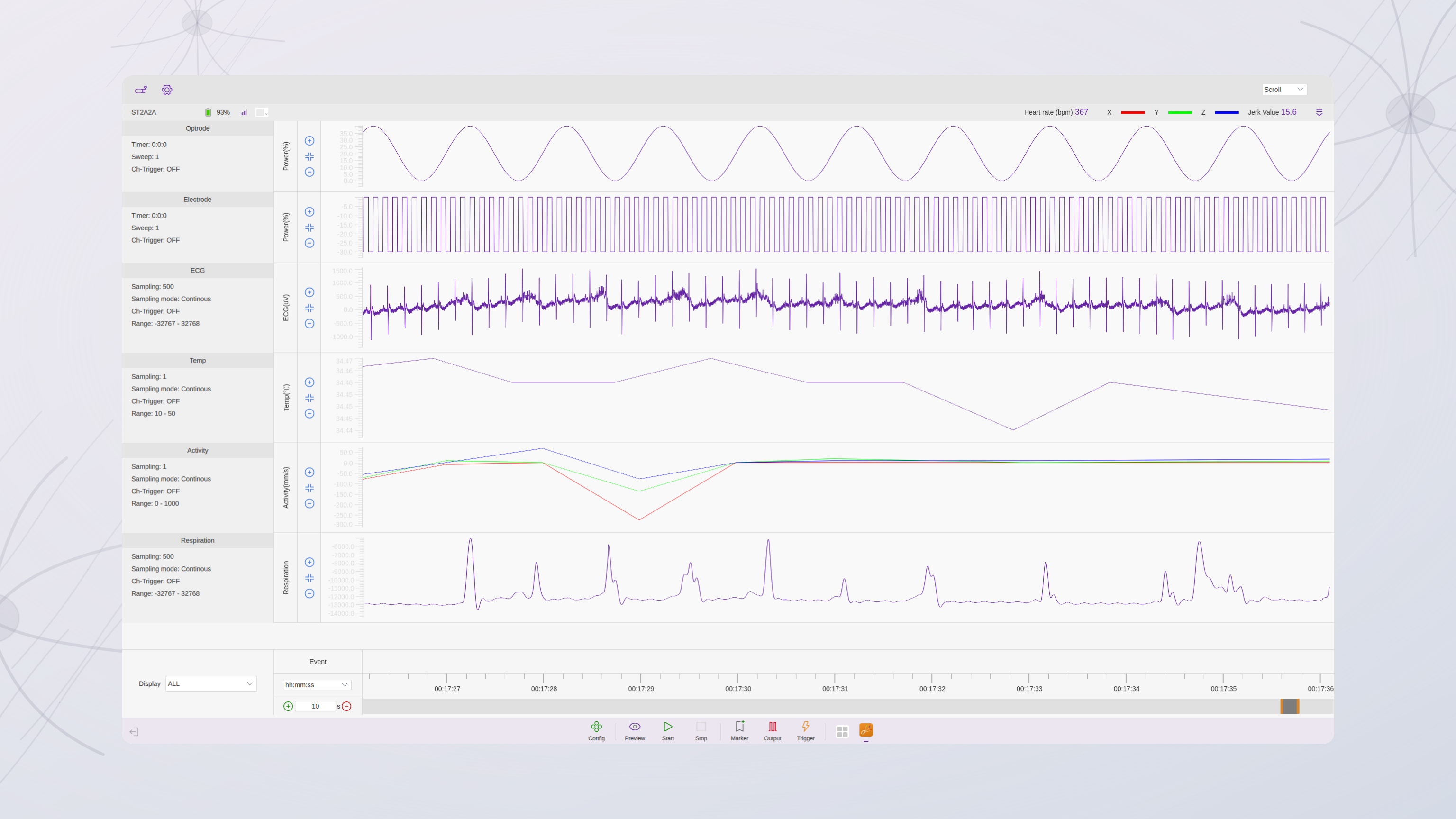
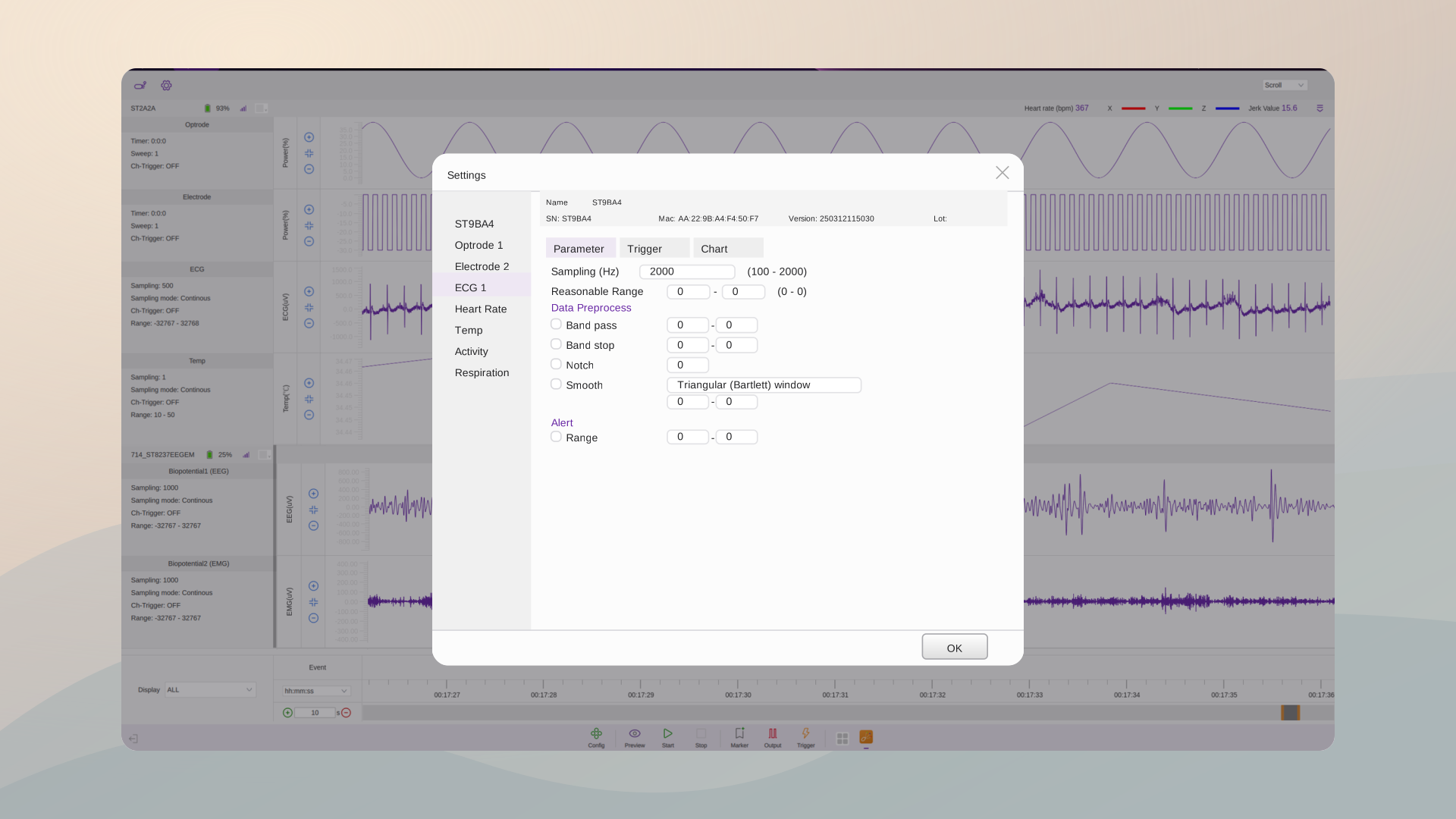
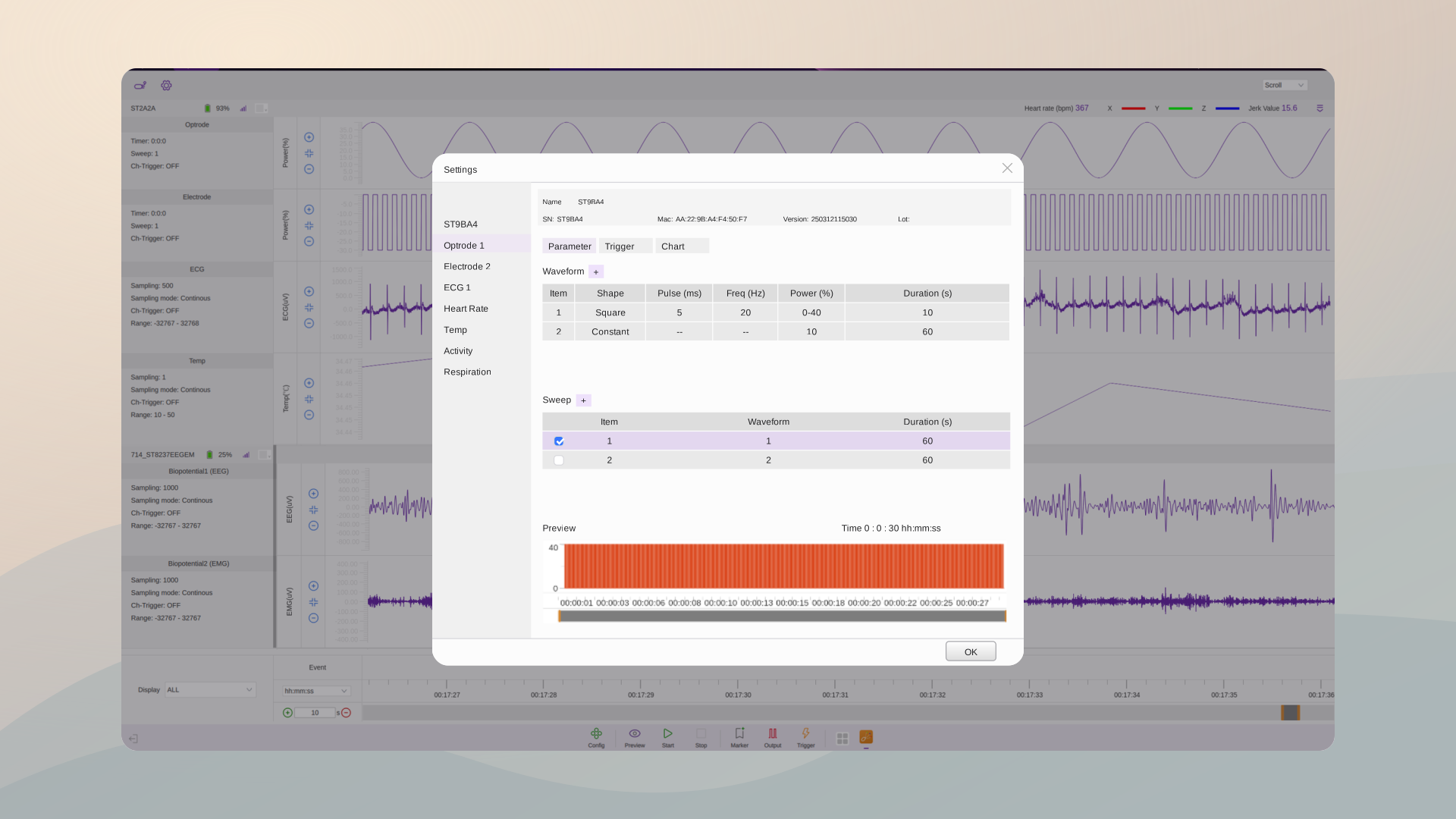
Double-click an implant to set sampling, reasonable range, real-time filtering and smoothing, alert limits, and the optical or electrical waveform, Sweep and Timer. Activate each channel before it can record.
Use Preview to check whether the data is reasonable — nothing is saved while previewing. Waveform, Sweep duration and Timer can all be verified there first.
Click Start to record and Stop to end the session. Name the file and add tags before recording, and configure Marker, Output and Trigger as the experiment requires.
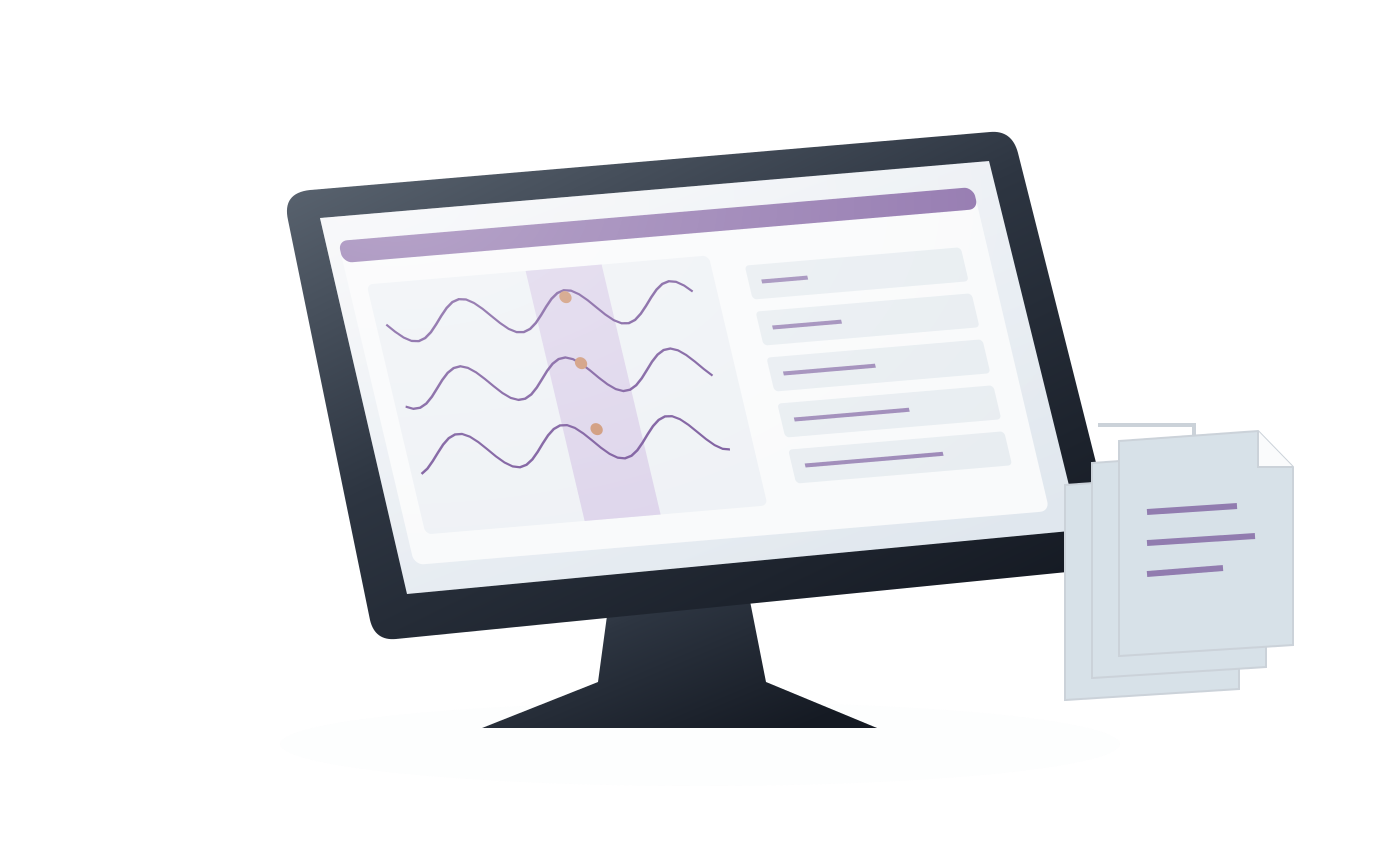
This replay illustration shows the traces changing as the time window moves back and forth. Page mode shows one window at a time, Scroll mode adds new data at the right. Switch the timeline between seconds, days or milliseconds, drag the handles to resize the window, double-click to return to live data, and read markers and outputs in the Event row.
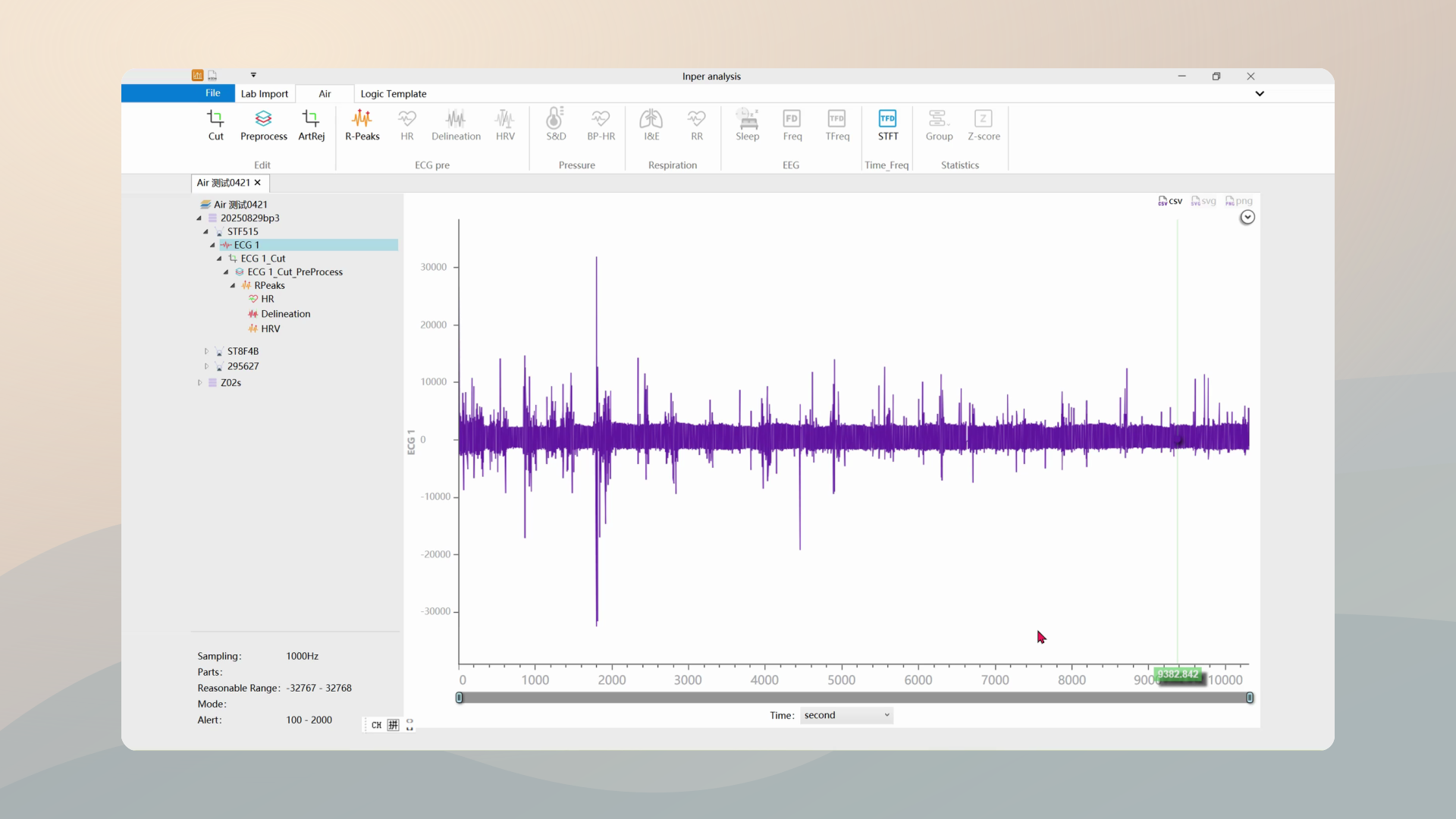
Load data from the drive on the Data page and export it, then run R-peak, heart-rate, delineation, HRV, pressure, respiration, sleep-staging, time-frequency and statistical analysis in Inper analysis.
Acquisition settings
Inspect sampling, preprocessing, events and saved configuration by function.
Set sampling rates and valid ranges per signal: biopotential 100–2000 Hz, pressure 1–500 Hz, temperature and glucose 0.01–1 Hz, activity 1–200 Hz, SpO₂ 1 Hz.
Band-pass, band-stop, notch and smoothing in real time; samples beyond the alert range are marked in red. Save the processing conditions with the data.
External signals, manual events and TTL output share one timeline: DIO input, manual markers and 2–9999 ms TTL output on data conditions.
Save parameters, check Trigger separately and log software and firmware versions. Both update online; analysis modules can be added.
Select a step or play the walkthrough.
Waveform composition
Optical stimulation supports seven waveform types; electrical stimulation supports square and constant waveforms. A Sweep contains up to eight segments. The illustration uses normalized amplitude and equal segment durations; configure actual output, timing and repetitions in the acquisition software.
Trigger timing
Start or stop immediately with Start / Stop, under direct operator control.
Wait for the configured delay after Start to coordinate preparation and timing.
Run at a scheduled time and use Repeat for recurring cycles. The instructions use a 24-hour clock.
Stop after the configured duration to bound a recording or stimulation run.
Trigger from an external device. When both Start and Stop use Exterior, select Realtime or Gate. Timer does not apply to optical/electrical stimulation triggered externally in these modes.
Conditional output
Follow the source signal, derived indicator, threshold condition and DIO output together.
03 · Analysis software

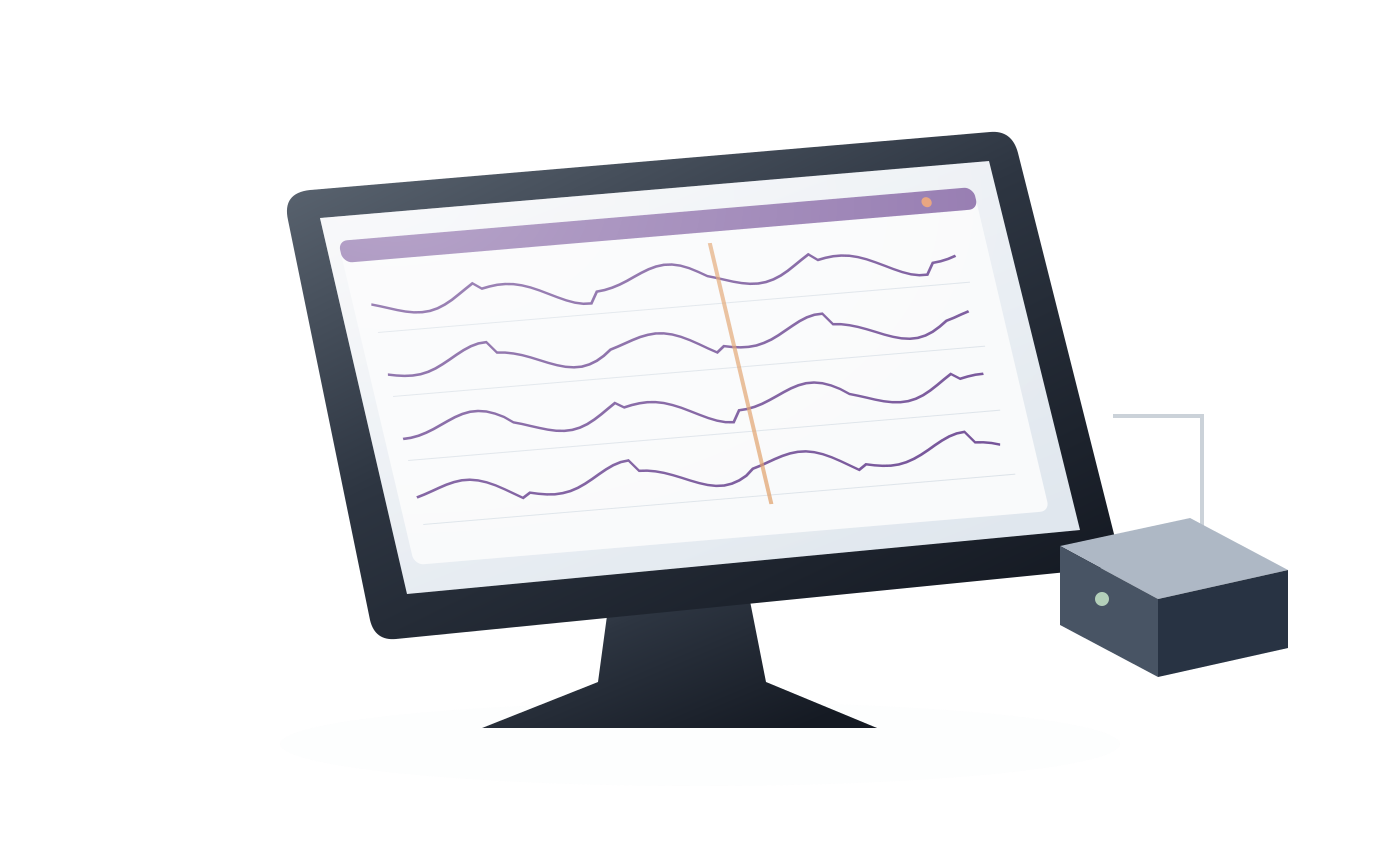
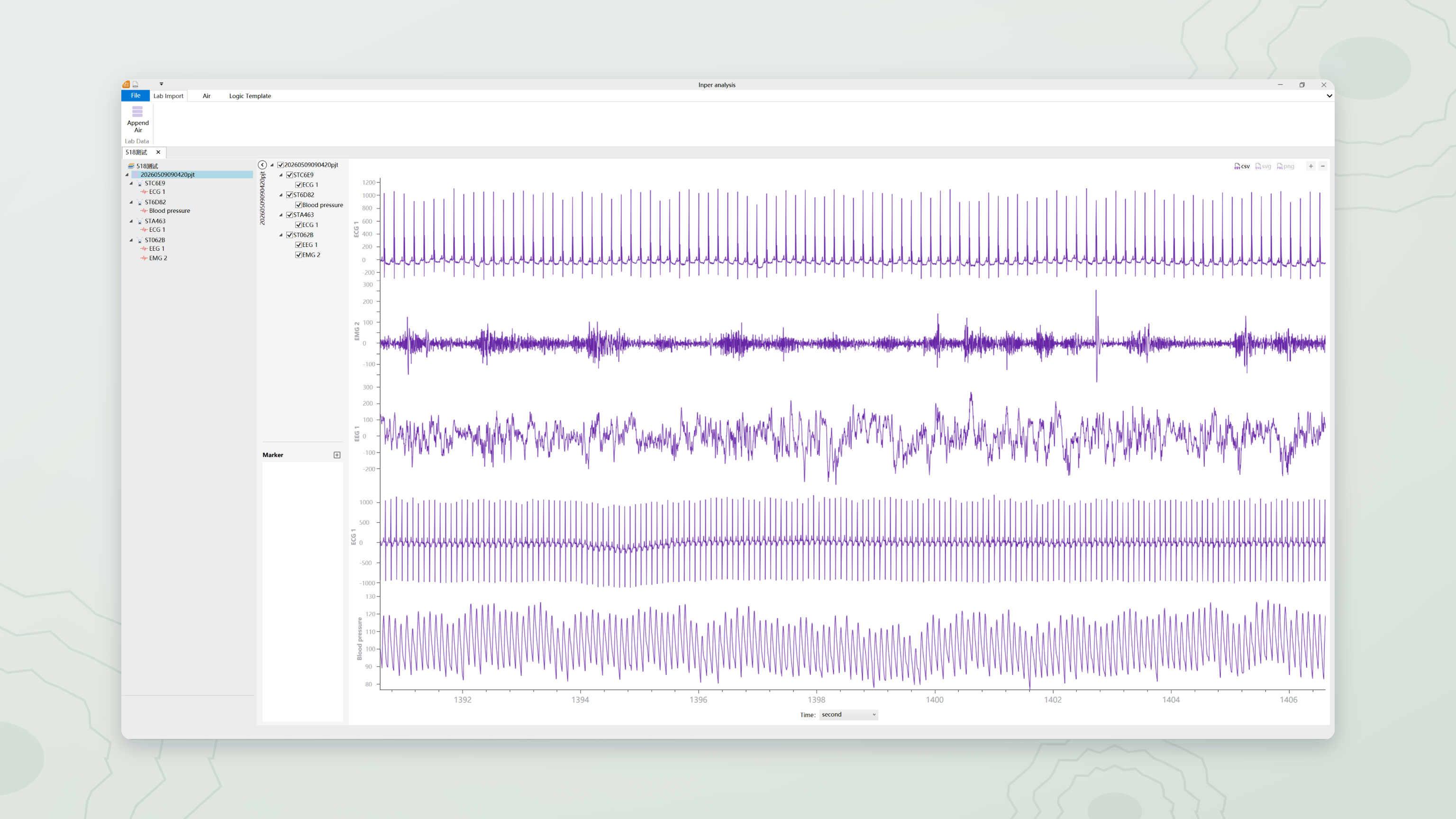
The analysis window shows multiple channels and markers. Review recorded channels on a shared timeline and relate them to experimental events.
Inspect changes around the same event.
Select a recording and time window, then enter the analysis for the signal of interest.
Check segments and annotations before interpreting derived indicators.
Signal-specific tools
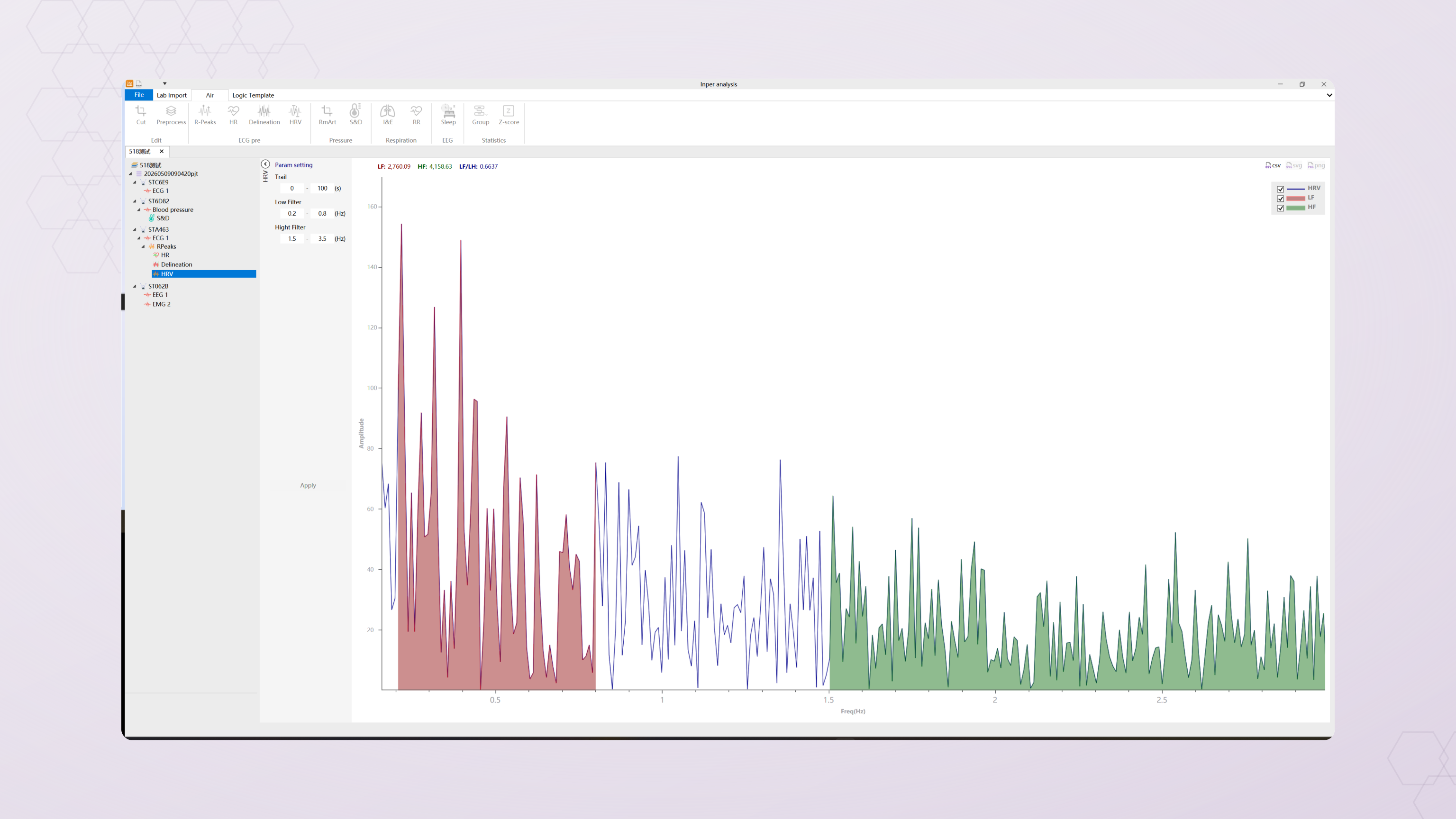
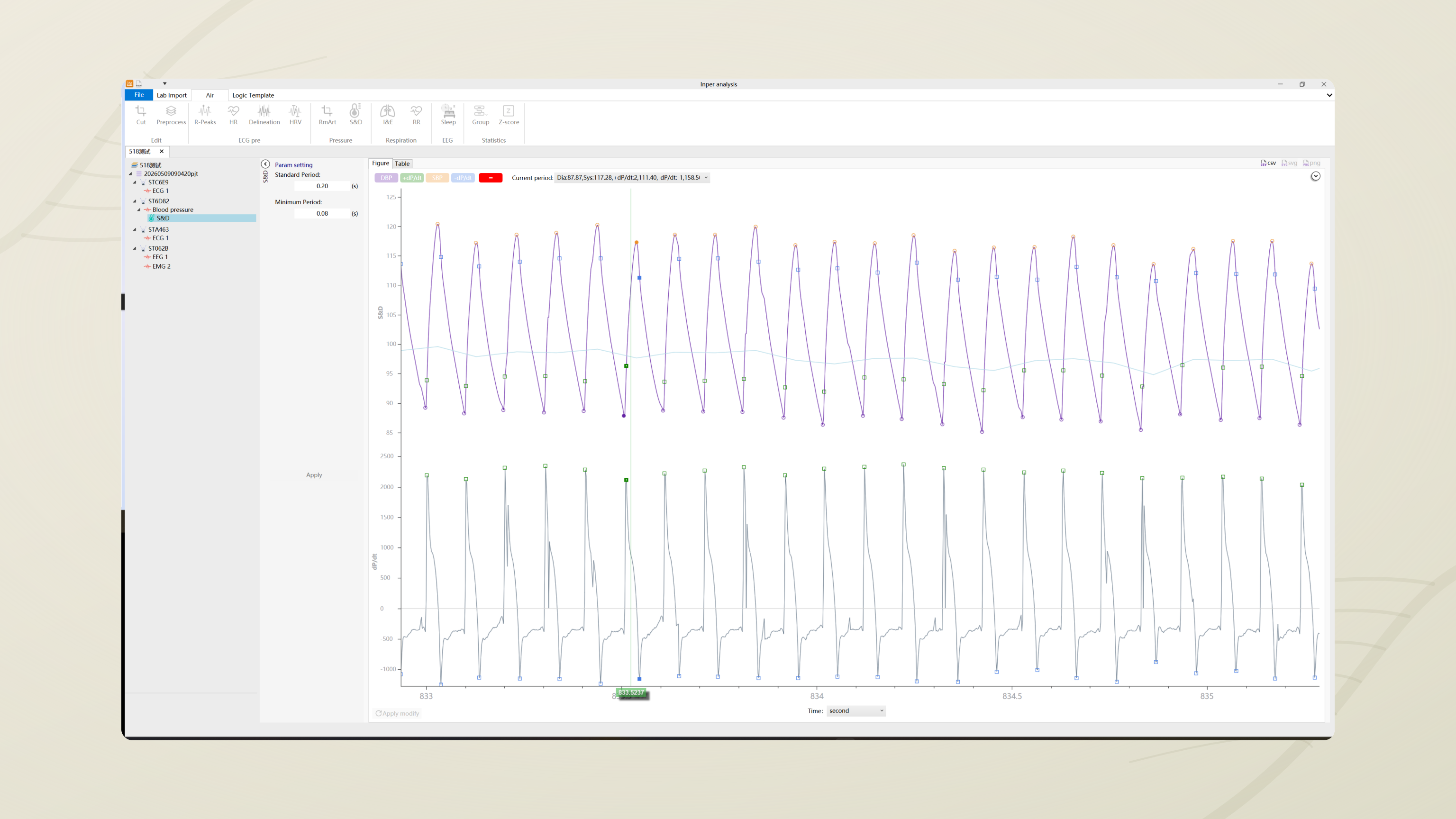
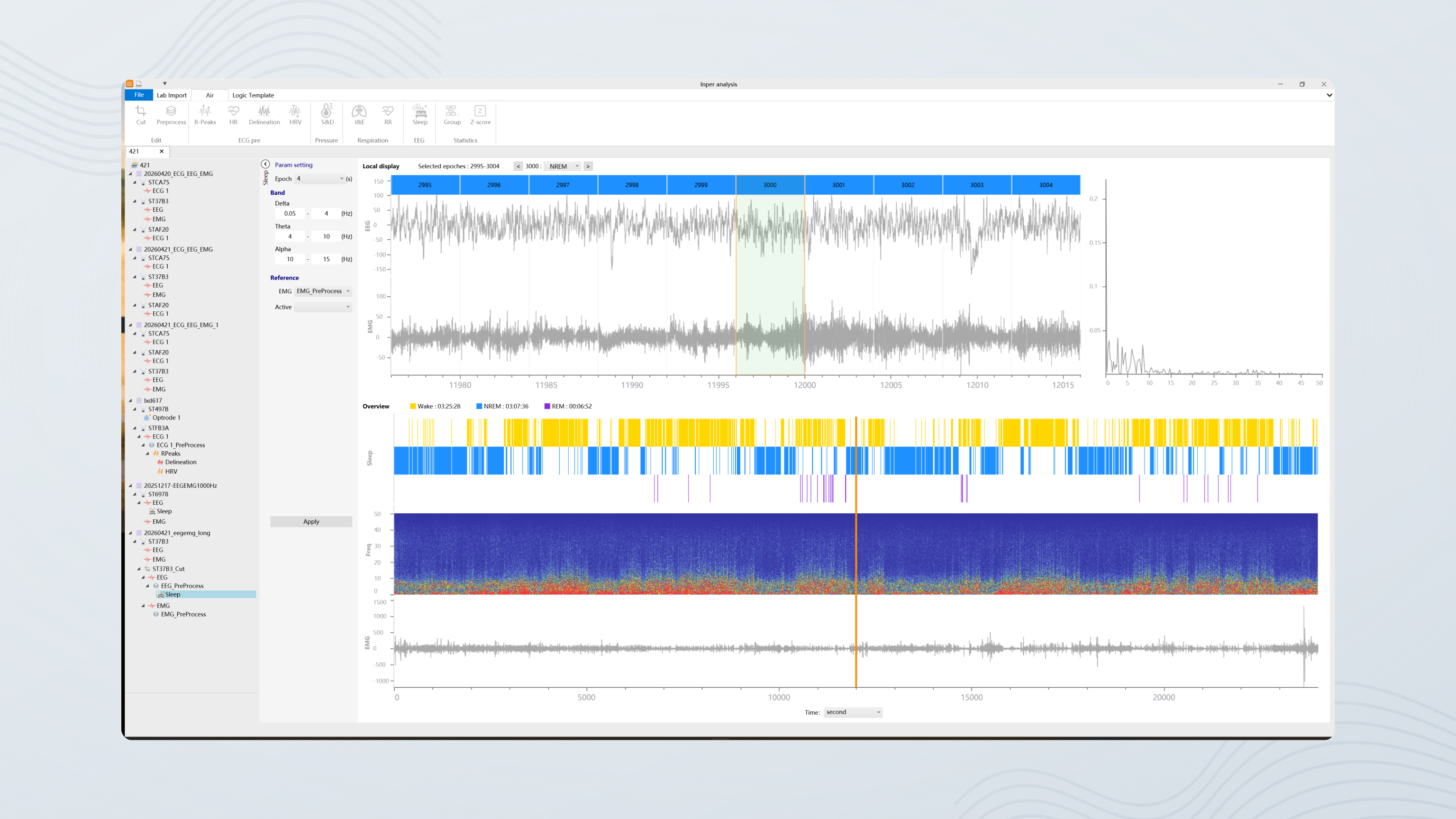
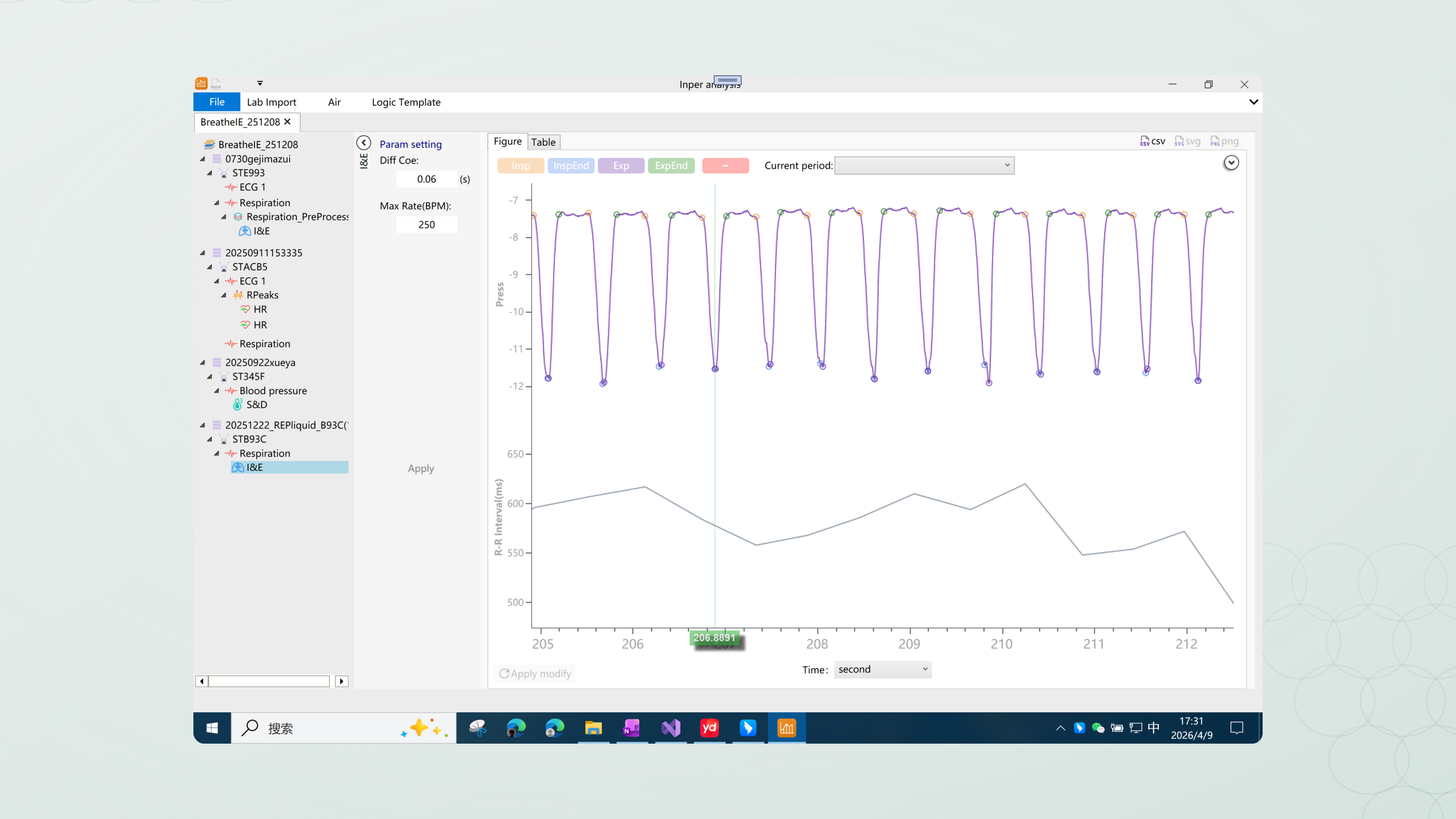
Actual software screens show how recordings become annotations, trends and result tables.
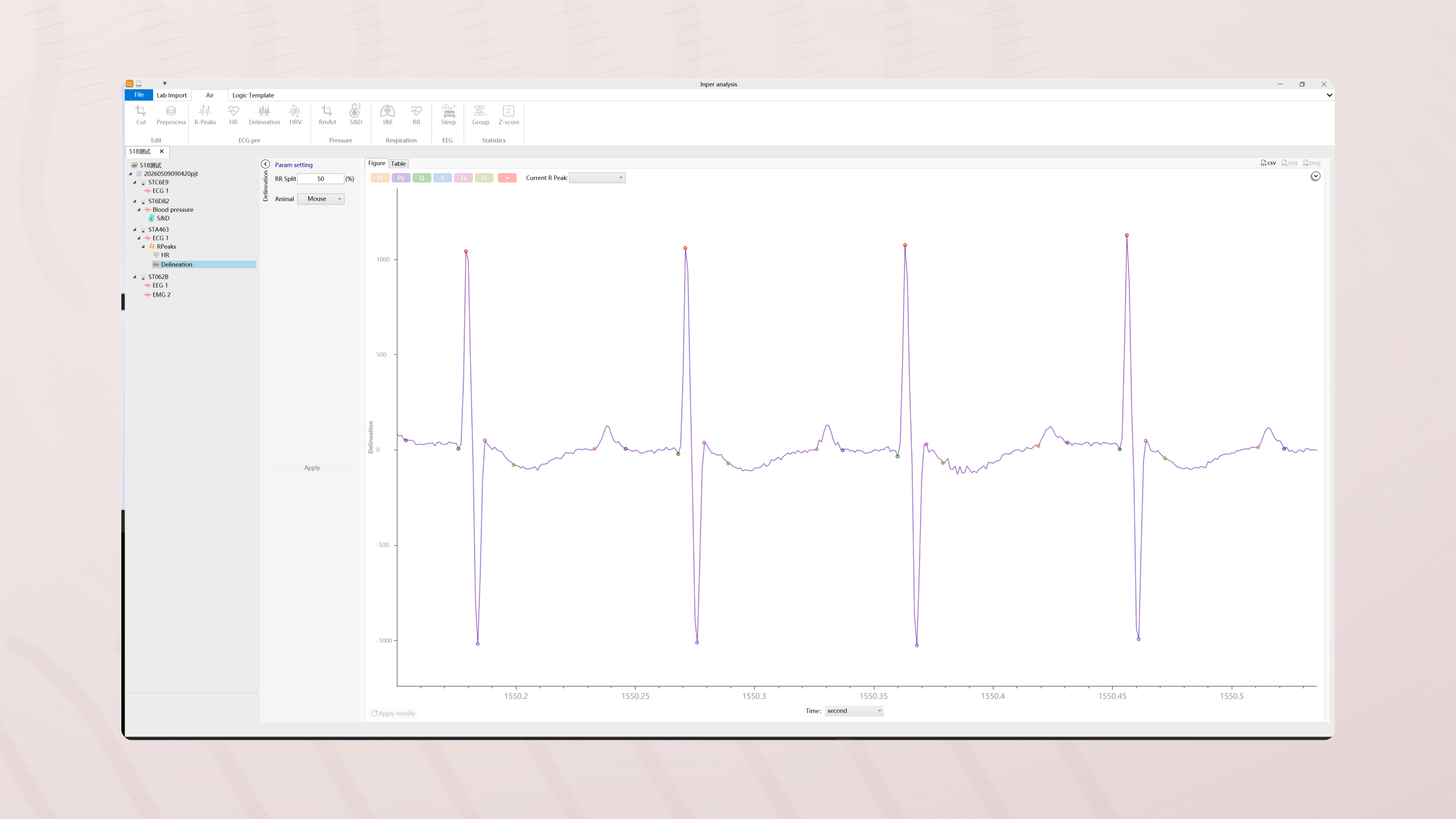
Identify R peaks in the ECG and review beat locations against the original segment. Use P, QRS and T annotations to inspect morphology, amplitudes and intervals, relating detection points and results to the selected time window before subsequent heart-rate and rhythm analysis.
Start with the sequence of R–R intervals to inspect changes over time and heart-rate variability results. Review beat classifications and unusual points in the selected segment, then relate time-domain and frequency-domain results to changes in rhythm while retaining the analysis window and processing conditions.
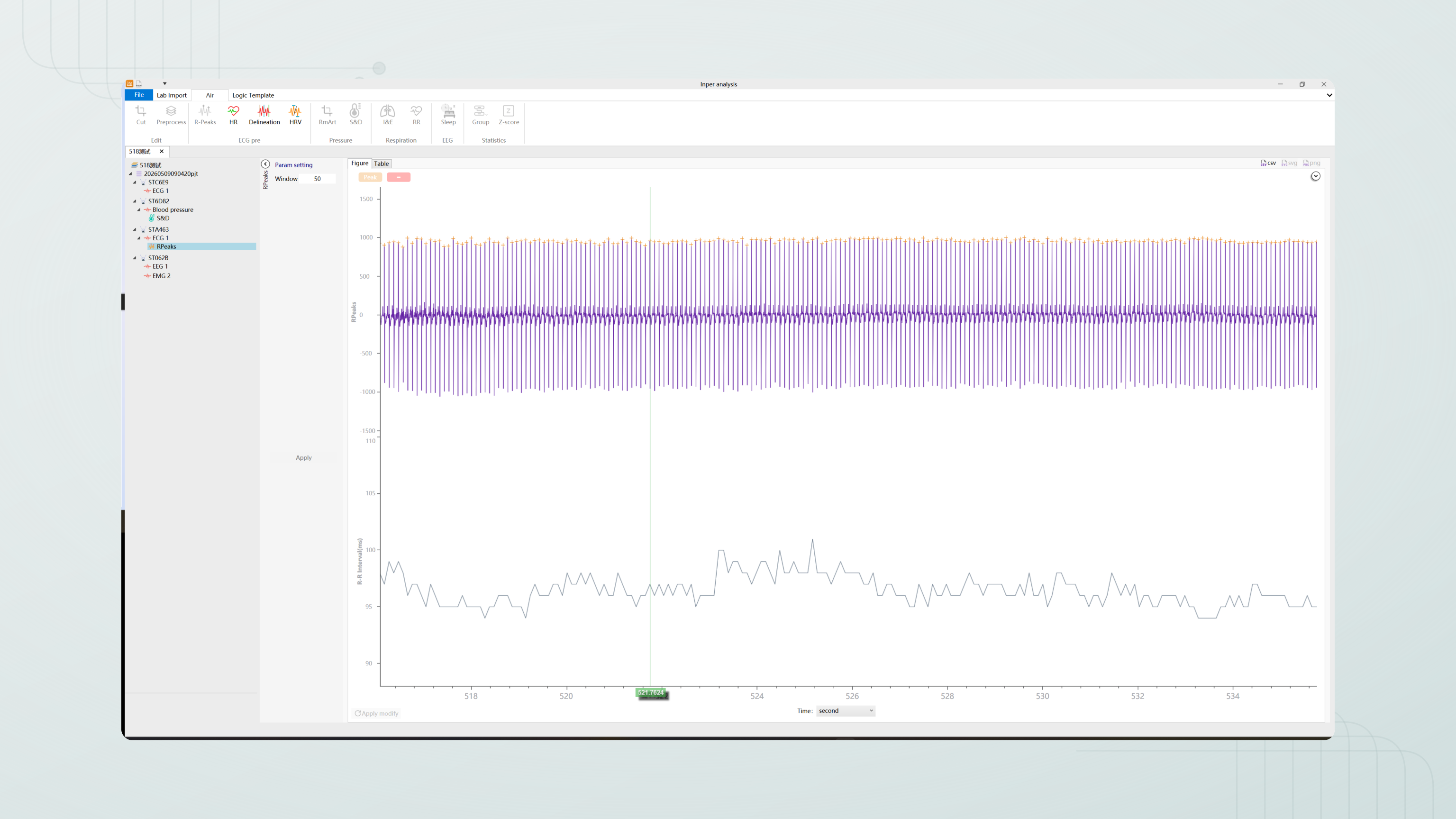
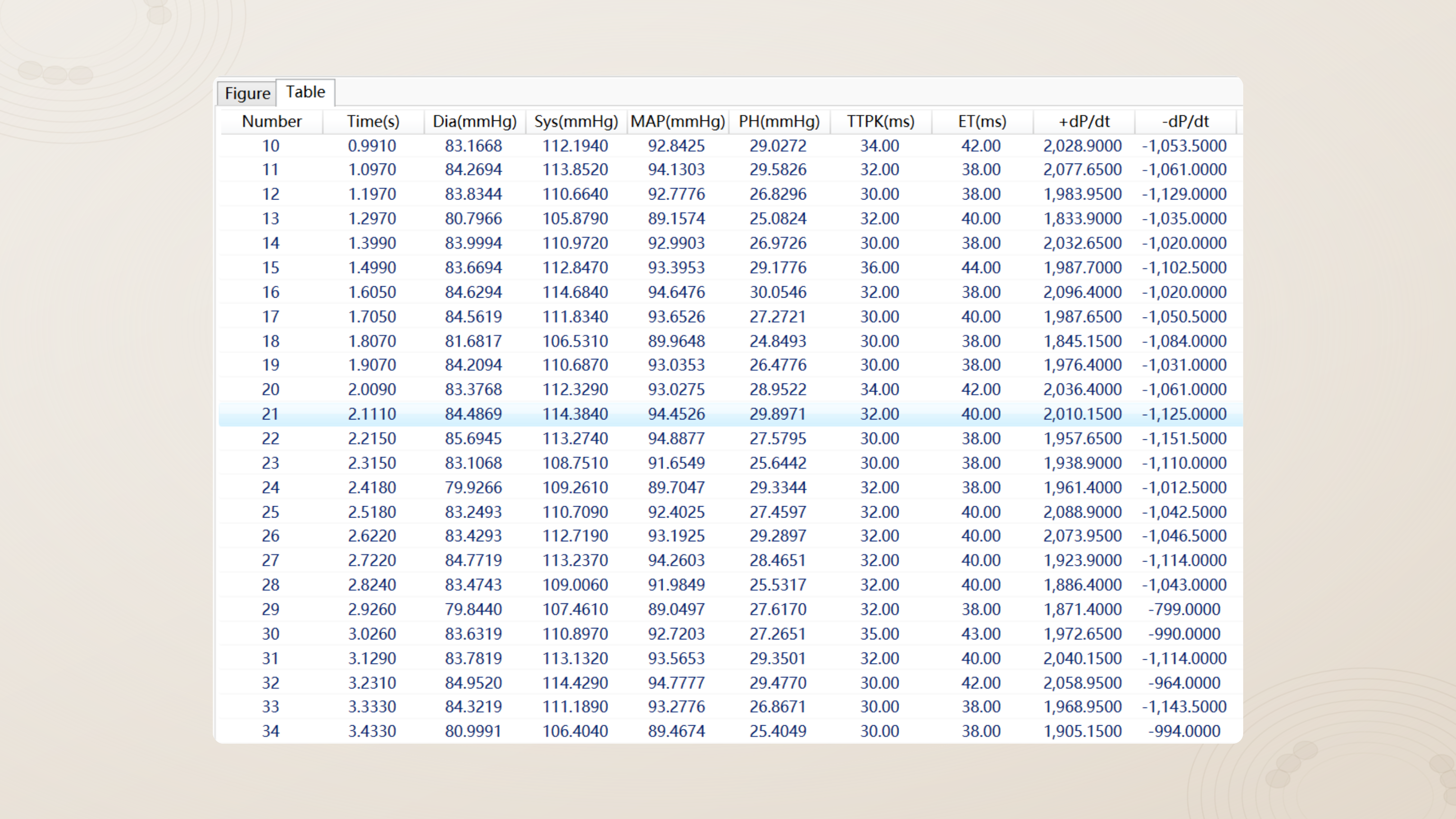
Inspect each pressure cycle and relate applicable systolic, diastolic and mean-pressure indicators to the original segment, trends and result table. Review peak and trough detection in the context of the measurement site and time window, and compare changes around experimental events within the same recording.
Review EEG, EMG and sleep-stage annotations in the same recording. Time-frequency views and power spectra help relate signal features to different stages. EMG envelope, time-domain and frequency-domain results provide additional views for checking stage labels against the underlying signal.
Inspect respiratory cycles and frequency, and interpret inspiration, expiration and phase timing with the sensor orientation in mind. Review cycle boundaries against the original waveform, then relate results from the selected time window to experimental events and changes in respiratory rhythm.
Explore the analysis
Choose an analysis, inspect a segment and connect the trace, annotations and calculated results.
Review and export
04 · Research applications
Choose a configuration for the animal model, recording site, target signals and study duration. Confirm suitability against animal weight, implant placement, leads, fixation, the selected model and protocol. Available indicators are not all included in every implant.
Research directions
Study workflow
Keep the path from study requirements to acquisition and analysis traceable.
Specify the animal model, signals, recording sites and study duration.
Verify devices, sensors and signal quality before recording.
Confirm sampling, storage, events and triggers; then start recording.
Select the analysis window, inspect annotations and export results with their conditions.
Prepare for longitudinal work
Start with your target physiological signals, animal model and monitoring sites to discuss the implant and sensing configuration.
Review your study duration and recording schedule alongside receiver connections, power management and laboratory setup.
Contact Inper to check suitable models, software versions and usage material, and work through a configuration for your study.
Fully implantable wireless telemetry
Awake and freely moving, following implantation and recovery
≤1.3 g, smallest configuration only; confirm against animal size and implant configuration
≤0.8 cm³, smallest configuration only
In vivo wireless charging
Capacity retention >80% after at least 300 full charge cycles (supplied specifications)
Implant, Air receiver, wireless charging pad and the Inper One workstation running the acquisition and analysis software
Up to 100 days for the smallest implant (supplied specifications); actual duration depends on sensing, sampling, communication and stimulation load, so confirm the configuration
8 per receiver
42; not the number of simultaneous acquisition channels in one implant
32 interfaces listed in the supplied workstation documentation; separate from the Air receiver interfaces
Up to 10 m in open space; optional external antenna for complex racks; actual range depends on environment and placement
Events, triggers and outputs; coordinate other devices as configured
Up to 2 Mbps in total, not per channel
Biopotential, pressure, temperature, activity, glucose and SpO₂; availability depends on model and sensors
ECG, EEG, EMG, gastric and intestinal electrical signals
Blood, ventricular, uterine, bladder and intracranial pressure
Square, Constant, Sine, Triangular, Linear, Exponential and Polynomial
470 / 525 / 561 / 635 nm; custom wavelengths available, confirmed per configuration
±10 mA, error ≤2% (supplied specifications); other pulse and channel settings confirmed per configuration
At least ±10 mV; precision 1 μV
−20 to 180 mmHg; ≤0.1 mmHg, listed as "precision/resolution" in the supplied specifications
10–50 °C; 0.05 °C
±8 g; 0.001 g
1–30 mM; <0.1 mM
0–100%; precision <2% (supplied documentation)
23 configurations in the 2026.B catalogue across the A10, A11, A12, A14, A16, A18, A19 and A20 series; combinations confirmed on delivery
Biopotential ×1, temperature ×1, activity ×1
Biopotential ×1, pressure ×1, temperature ×1, activity ×1
Biopotential ×2, pressure ×1, temperature ×1, activity ×1
Available signal types are not all included in every implant. Recording, stimulation and supplied components depend on model and confirmed configuration.
Supplied specifications, the 2026.B catalogue, software screenshots and the V1.0.1 instructions. Values follow the specifications and depend on model, load and software version. For research use only.
Biopotential 100–2000 Hz; pressure 1–500 Hz; temperature/glucose 0.01–1 Hz; activity 1–200 Hz; SpO₂ 1 Hz (per sensor, supplied specifications)
Band-pass, band-stop, notch and Smooth
Up to 8 waveform items per Sweep in the V1.0.1 instructions; the web demo capacity is not a software specification
2–9999 ms (operating instructions V1.0.1)
Immediately, Delay, At time, After Start and Exterior
Config does not include Trigger settings; check them separately before each experiment
Sleeps after 10 minutes without a connection; annual capacity loss in sleep <20% (supplied specifications), which is not continuous recording endurance
The supplied instructions recommend charging at least every 3 months
ECG, HRV, pressure, EEG/sleep, respiration and EMG; annotation review, applicable time- and frequency-domain analysis, and PDF/CSV export. Confirm the available modules and version.
Automatic or manual online updates; applicable analysis modules can be added or upgraded. Record the version and experimental conditions.